Hire a small team of AI agents — each with a name, a role, and a face. Assign work from a chat window, watch the output land. Single binary, single SQLite file, your machine.
A 60-second walkthrough — talk to Lead, get a workflow proposal, hit Run, watch the output land back in chat. No timeskip, no editing tricks.
Hover or click to see each surface. Agents, group rooms, workflows, projects, a dashboard, the skill library, and the model picker — they're separate pieces that fit together, not a single bolted-on chat box.

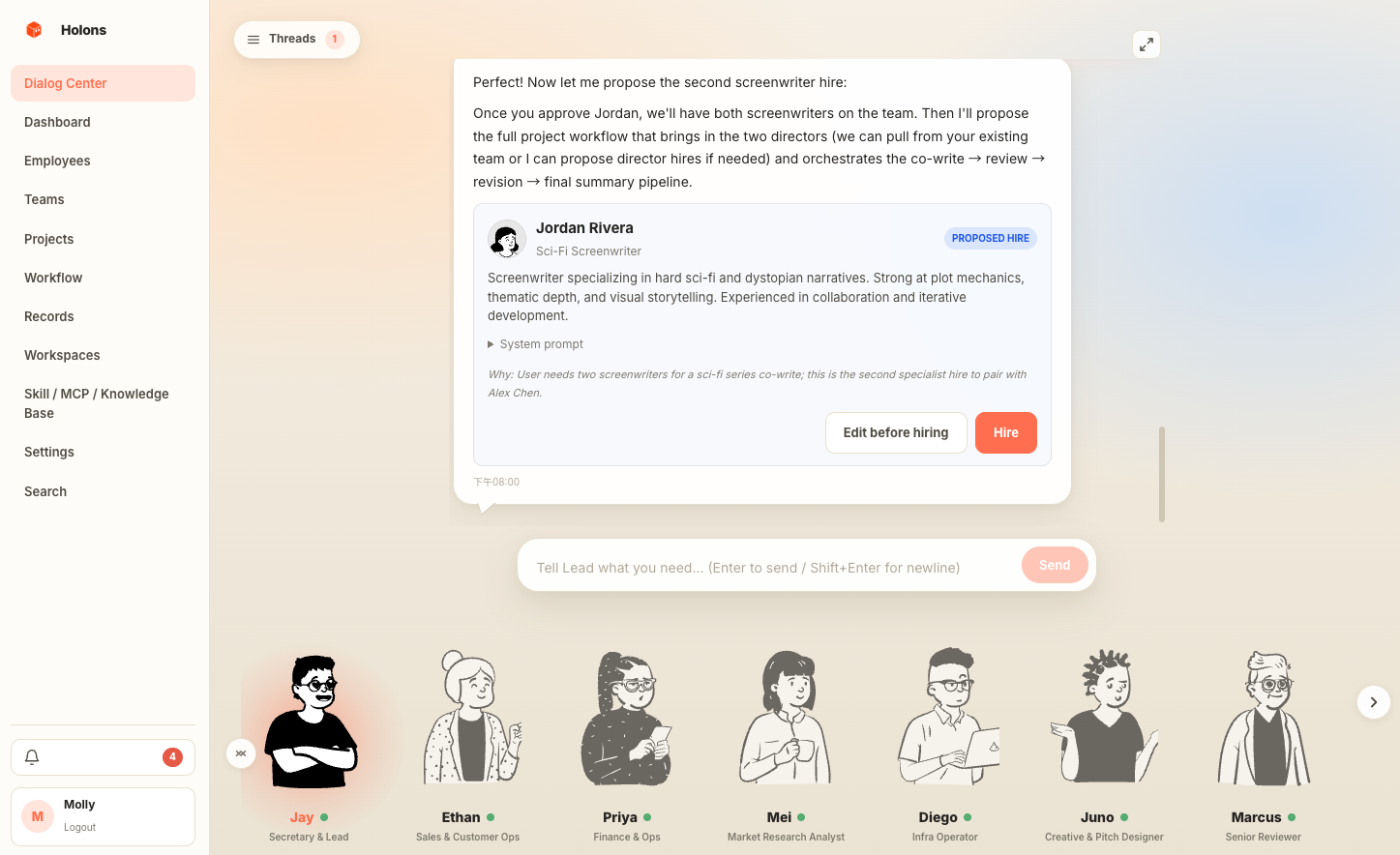
Each agent has a name, a face, a system prompt, a model binding, and a role title. A "Lead" agent acts as your secretary, coordinating the rest.

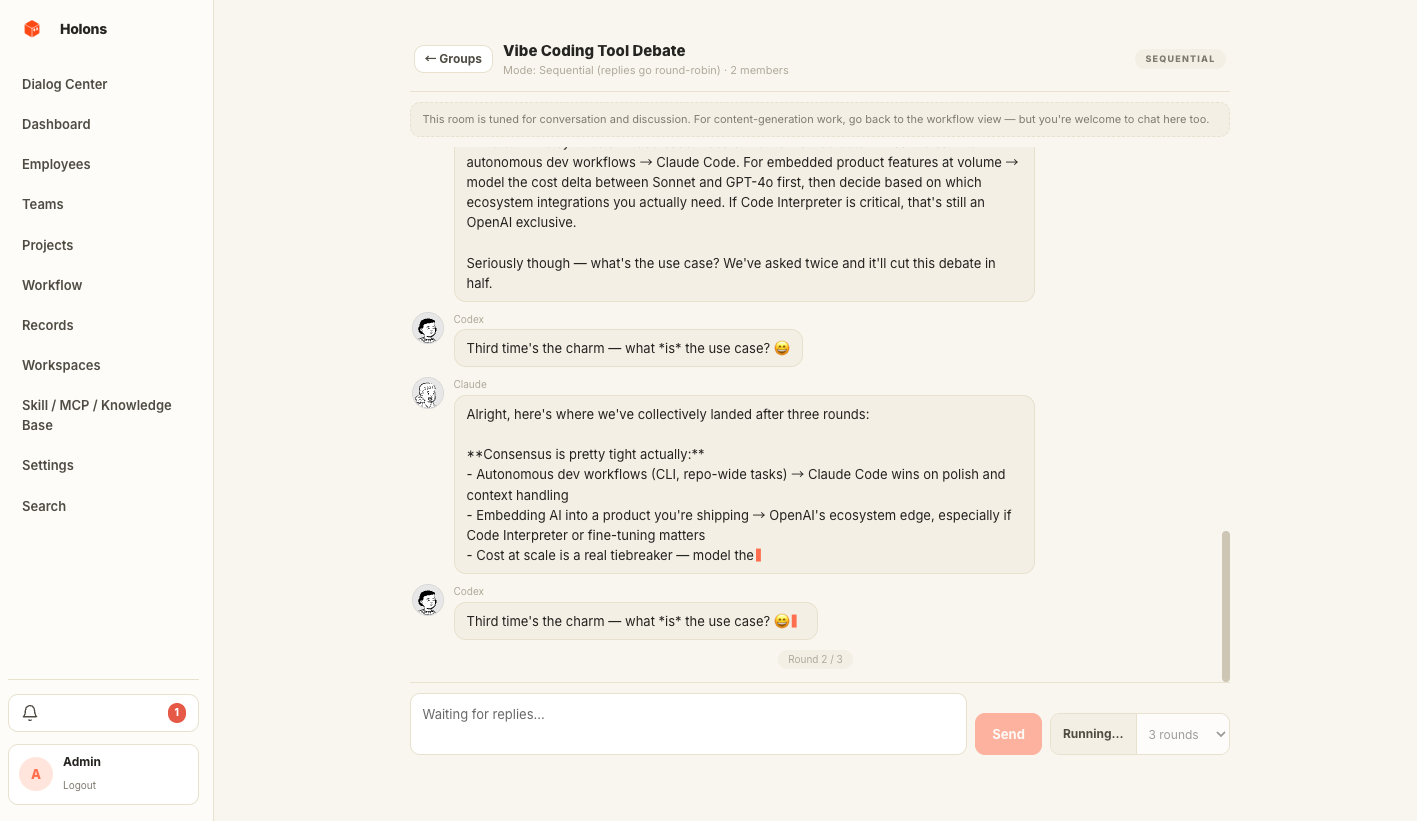
Drop into a room of agents and watch them answer in parallel or round-robin, streaming token by token. Hit "let them continue" for autonomous rounds.

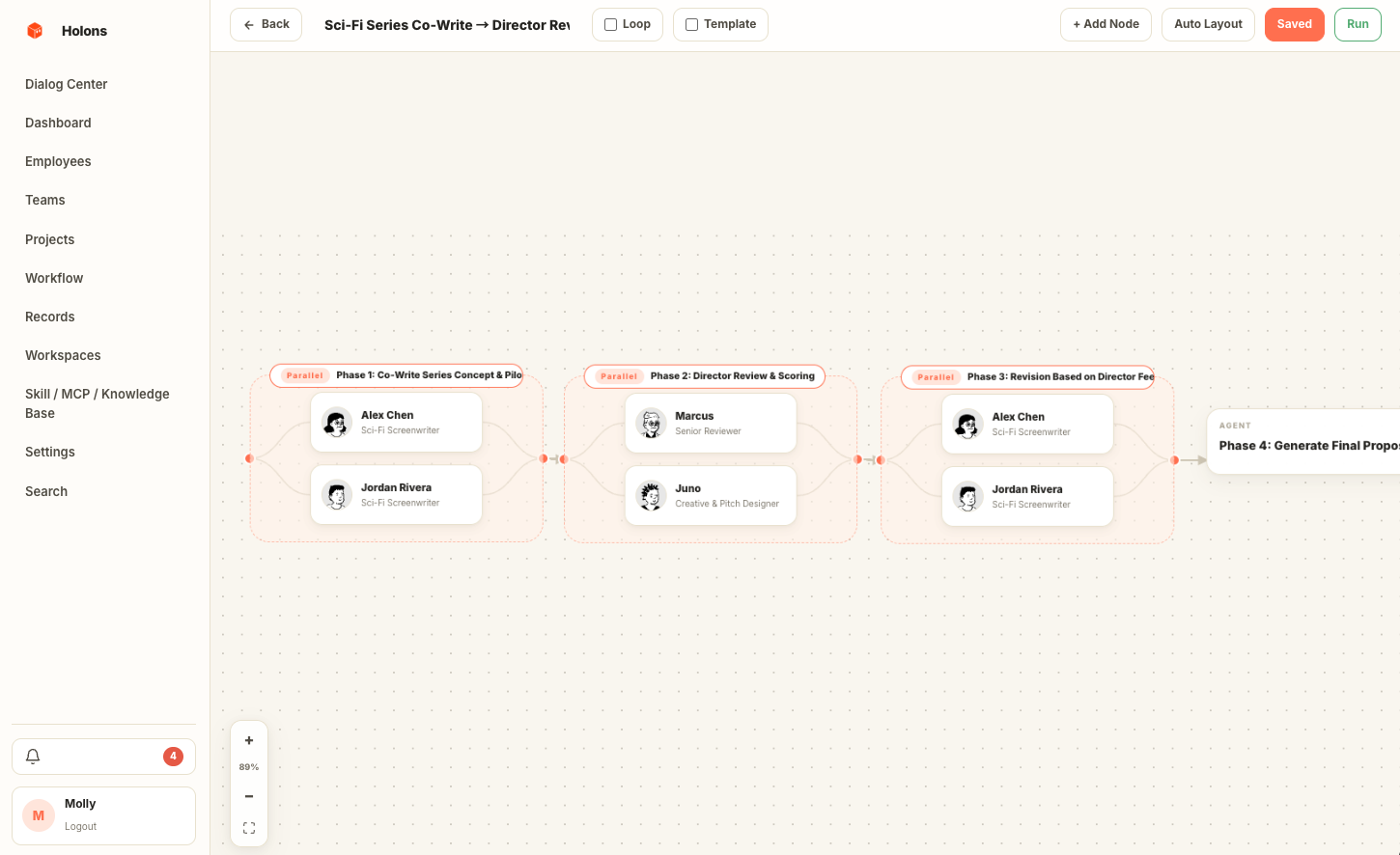
Wire agents and groups into a directed graph. Sequential, parallel, review loops, aggregators — every dispatch produces a tracked run with full step history. Schedule them with cron / interval / once-off.

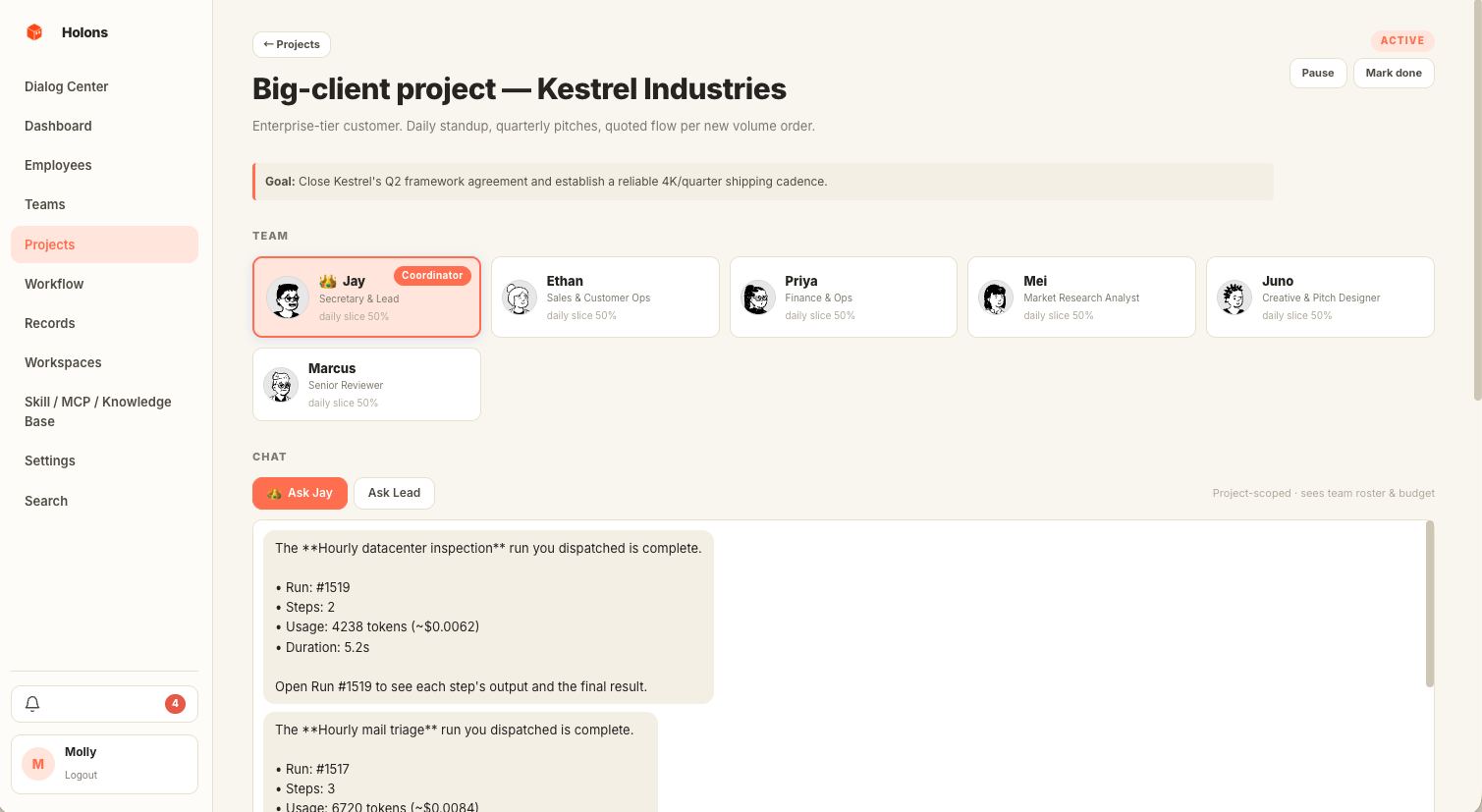
Containers for long-running goals. Pick a coordinator and members, slice quotas by % per day / month, set milestones, and get an auto-generated daily report.

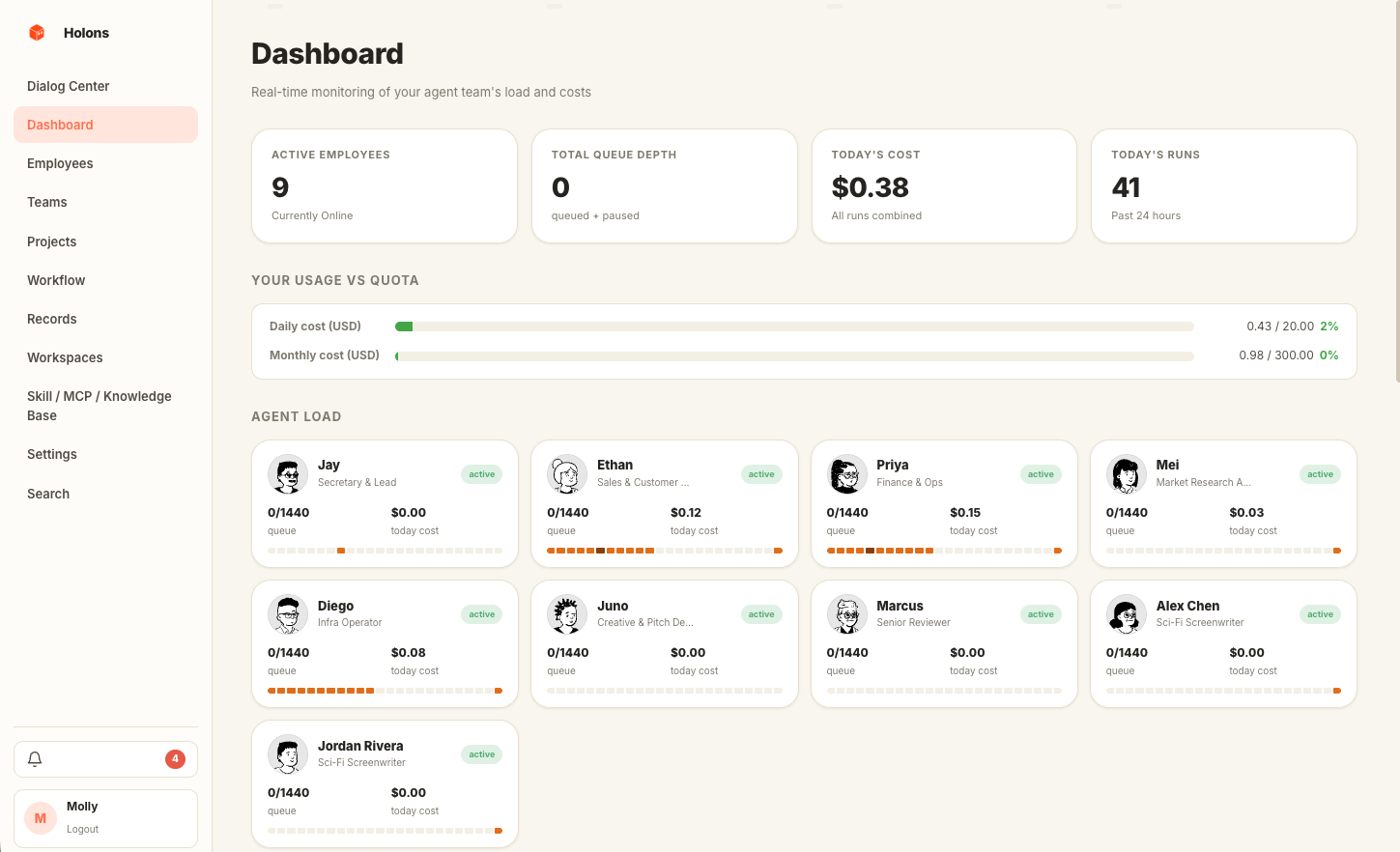
One screen for who's busy, who's idle, today's spend, and the latest runs. Every row links straight into the trace, the project, or the agent's chat.

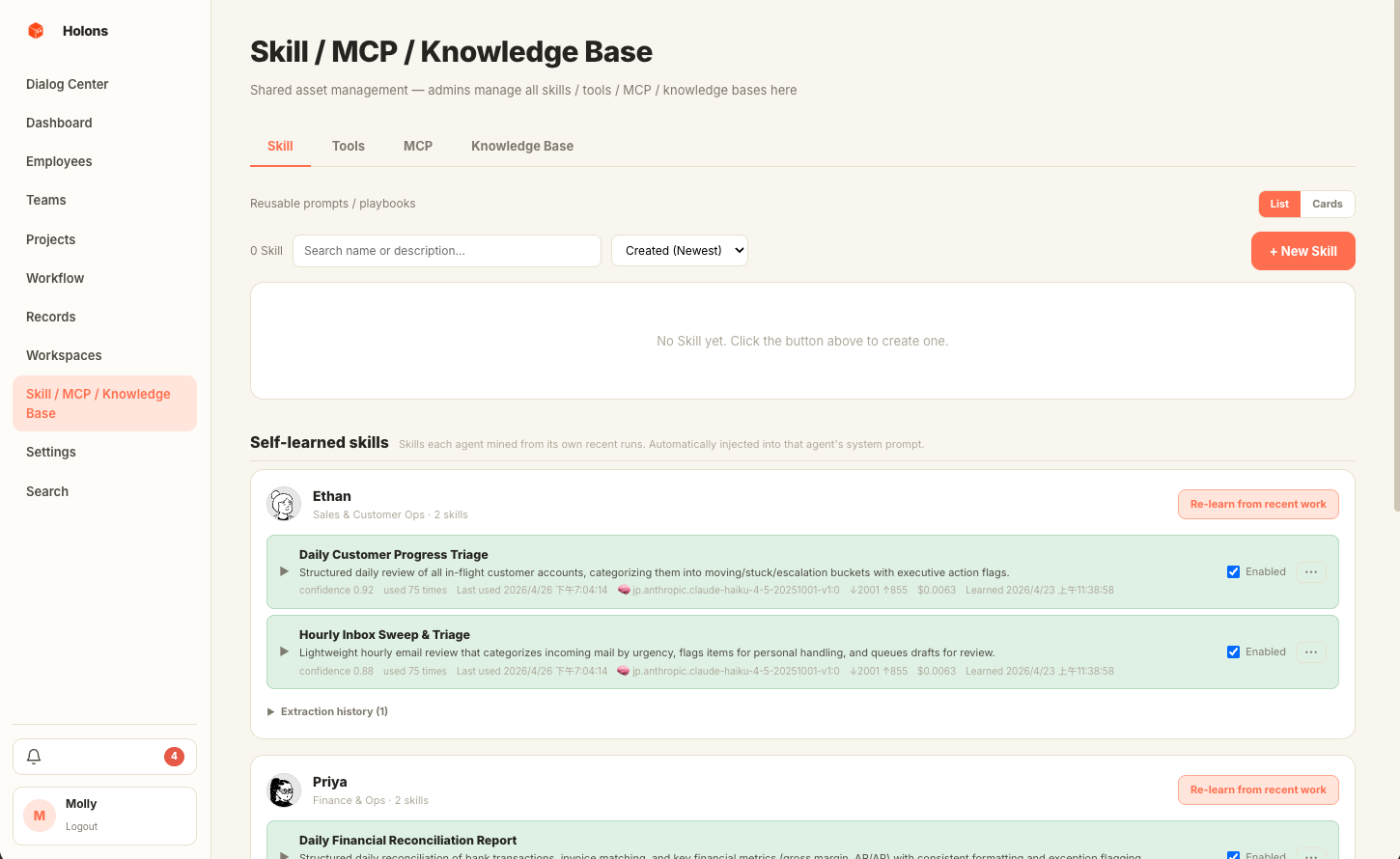
The library holds three kinds of capability: reusable prompt fragments, built-in Python tools, and external MCP servers. Mount any of them on an agent — Lead picks them up automatically when proposing workflows.

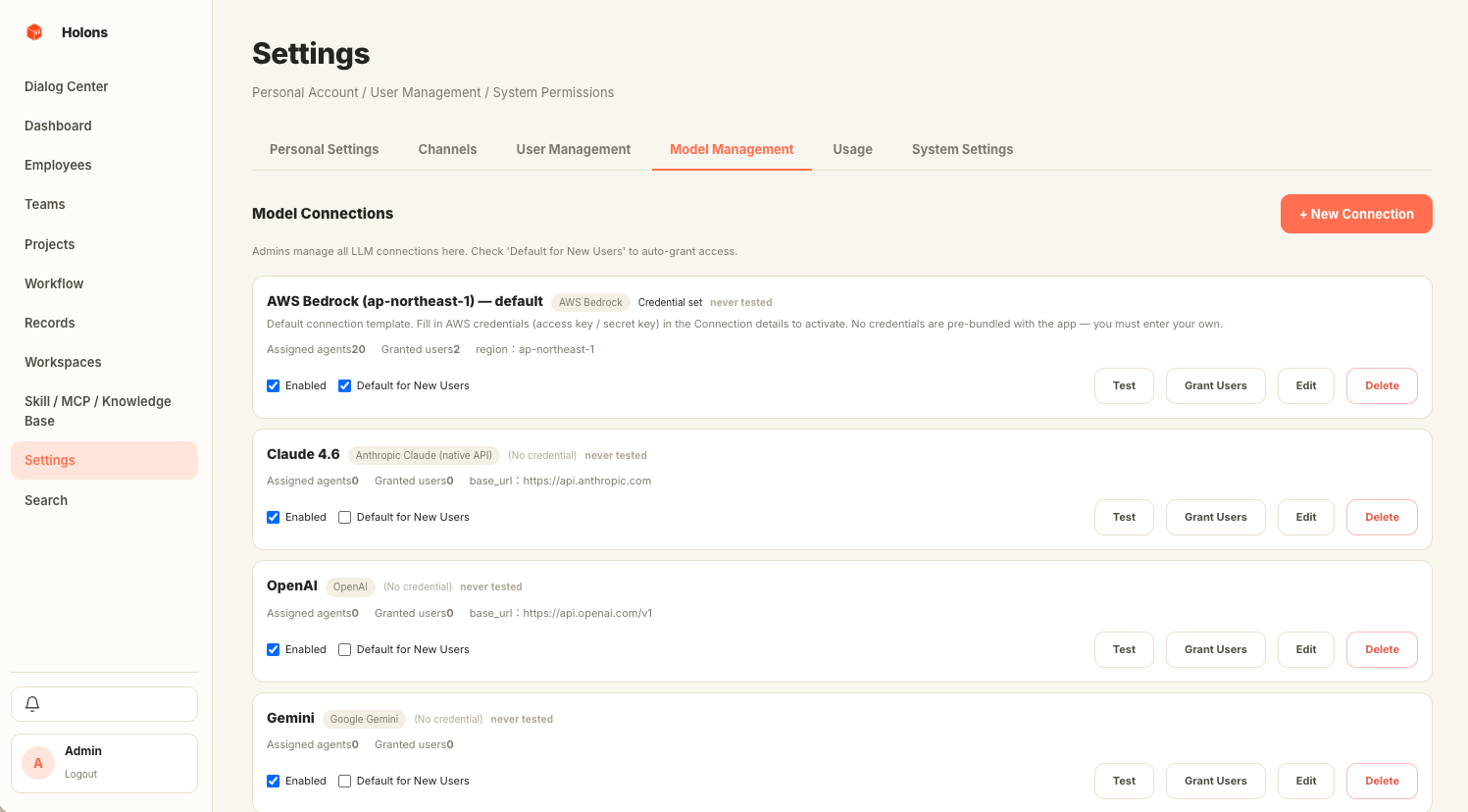
Bedrock, Anthropic, OpenAI, Azure, Gemini, MiniMax, and any OpenAI-compatible local endpoint — one normalised interface behind them all. Per-agent model binding, BYO credentials.
Each agent has its own system prompt, avatar, working hours, and model binding. A "Lead" agent acts as your secretary — surfacing proposals, coordinating runs, and holding the conversational thread the others reply into.
Drop into a group room and every agent in the group answers in parallel or round-robin, streaming token by token in the same window. Hit "let them continue" and they take autonomous rounds while you read along.
Wire agents and groups into a directed graph: sequential, parallel, review loops, aggregators. Every dispatch becomes a tracked run with full step history. Trigger by chat, by API, or on cron / interval / once-off.
Containers for goals that outlast a single chat: a coordinator agent, a roster, quota slices by percent per day or month, milestone checkboxes, and an auto-generated daily report when the project has activity.
Who's busy, who's idle, today's spend, what shipped, what failed. Every row links straight into the run trace, the project, or the agent's chat — no hunting through tabs to find why a workflow stalled.
Reusable prompt fragments, built-in Python tools, and external MCP servers all live in one library. Mount any combination on an agent — Lead picks them up automatically when proposing workflows that need them.
Bedrock, Anthropic, OpenAI, Azure, Gemini, MiniMax, plus any OpenAI-compatible local endpoint (Ollama, vLLM). One normalised interface behind them all, per-agent model binding, BYO credentials. No SaaS plan, ever.
Want your agents floating around the edges of your Mac? Open the desktop app.
Want a dashboard your team shares? Use the web console.
Want cron jobs to dispatch workflows on their own? Mint an API token.
Transparent, always on top, cursor passes through empty space. A Python sidecar handles the backend; all data lives in local SQLite.
Same React bundle as the desktop app. Dialog Center, Workflow Editor, Project detail, Records — full browser access.
Authenticate with a session cookie, a desktop token, or Bearer hlns_…. Live SSE streaming so chat replies arrive token by token, plus webhooks, Slack and Telegram bridges.
You say a sentence — the lead proposes a workflow — you hit Run — the engine dispatches — workers execute — the result lands back in chat. Every step's tokens, cost, and output are logged and replayable.
Tell the lead what you need. It checks your agents, skills, and quotas, then proposes a workflow card or answers directly.
One click on the workflow card. The engine creates a run row and pushes the first node onto the task queue.
One or more workers process sequential / parallel nodes, calling each agent's LLM client through a normalised adapter.
The run summary returns to the lead thread. Every cost, token, and step is logged — exportable, webhookable, replayable.
Personal mode runs on local SQLite — no cloud, ever. Managed mode runs on Postgres + pgvector for a team. Your tokens, your data, your machine; wire it to a script or a webhook however you like.
Holons is one developer shipping in public. These are the three directions we're leaning into — none of them are dated promises, and feedback in Discussions changes priorities every week.
Native detail panels in-overlay (no browser hop), deeper tray menus, multi-monitor placement, smarter auto-hide. The desktop is the differentiator — make it feel like macOS, not a webview.
The dream user is a one-person founder or ops lead who's never opened a YAML file. Plain-English workflows, fewer settings, hire-by-clicking, results that arrive in chat instead of dashboards.
More LLM providers, an MCP server marketplace, an agent template library, deeper Lead reasoning over project state. Ship the boring infra so building a new agent is a 5-minute job, not a half-day.
Have a use case we should chase? Open an Idea discussion or email us — we read everything.
Open source, self-hosted, every byte on your own machine. Personal mode is a
double-click on the .dmg; managed mode is one docker compose up for
backend + Postgres.
Building on top of Holons, want to partner, hit a bug you'd rather not file in public, or curious about a managed deployment? Drop a line — replies usually land within a couple of business days.
Security reports → please follow the SECURITY.md flow.